Editor’s Note: We regularly select outstanding articles from the Matrix community to showcase the most genuine firsthand experiences and insights from users. The views expressed are solely those of the author. Minor edits have been made to the title and layout for clarity.
Reviving the BlackBerry Q25
Toward the end of 2025, several “BlackBerry revival” projects suddenly began to surface. I first discovered one of them on HiPDA (now 4D4Y), led by a well-known modder named zinwa_lin, and followed its progress closely from the start. Not long after, I heard about another project called the “BlackEvery 9900,” a newly produced clone of the classic BlackBerry 9900. By November, both devices were released almost back to back, making the choice surprisingly difficult.
The F9900 is a newly tooled replica of the BlackBerry 9900, powered by an SC9863 processor with 3GB RAM and 32GB storage, running Android 13. Its biggest advantage is affordability—it sells for about 500 yuan on PDD. After watching several reviews, it became clear that the keyboard was newly molded and felt noticeably different from the original. The modest 3+32GB configuration also raised concerns about performance, especially with today’s most demanding app, WeChat, which might not even run smoothly. On top of that, while I absolutely adore the original 9900—one still serves as my bedside clock—the screen is simply too small for modern Android apps, and compatibility would likely be an ongoing challenge.
Enter the Zinwa Q25
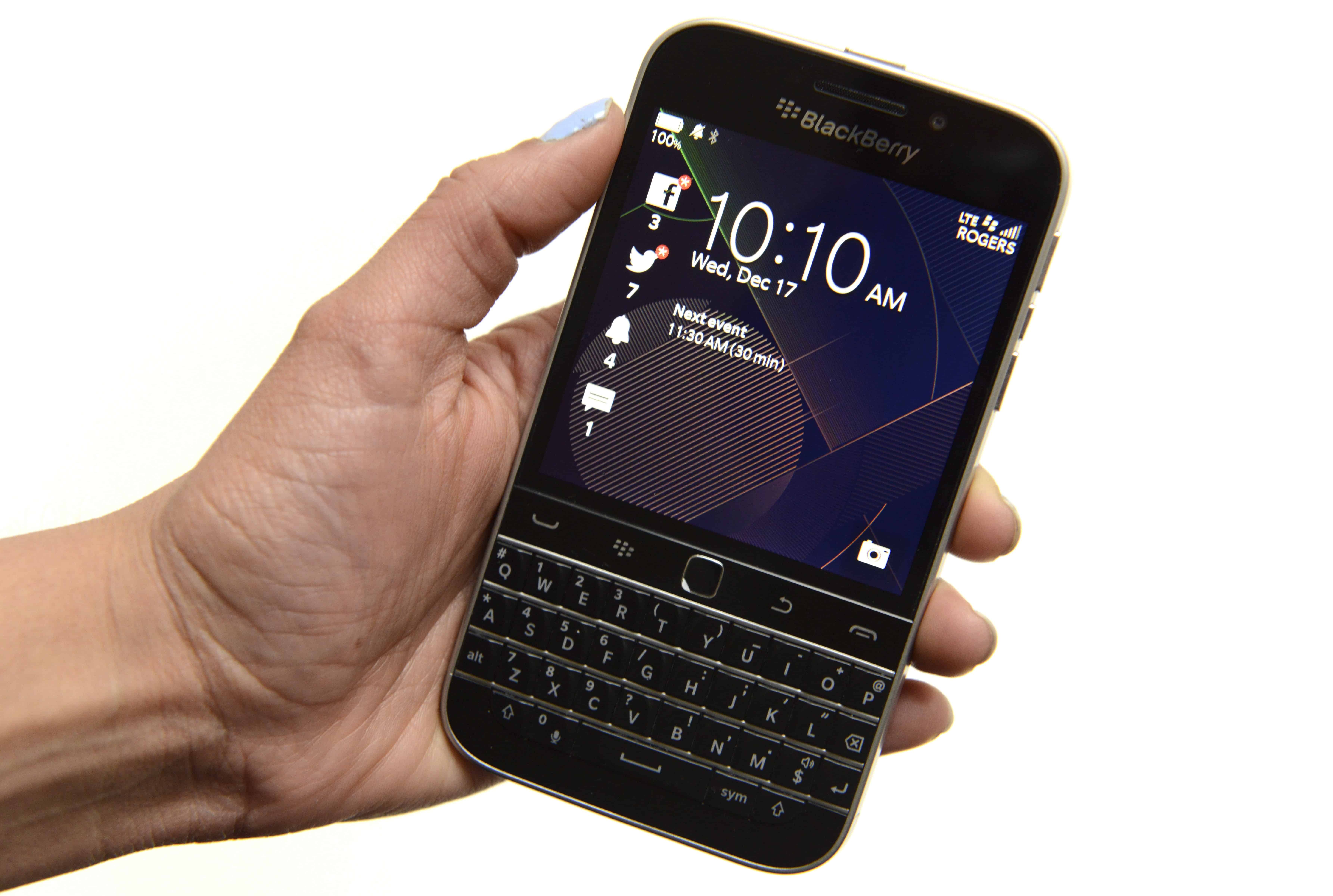
The Zinwa Q25 took a very different approach. The first batch was released as a motherboard kit, designed to fit into a Q20 body and bundled with a battery plus front and rear cameras, with the rear camera upgraded to 50MP. It runs on a MediaTek G99, paired with 12GB RAM and 256GB storage, running Android 14. On paper, this is a massive leap in performance and should handle daily use with ease. The Q20’s screen is also significantly larger, making it far more suitable for the touch-centric Android ecosystem. By pure coincidence, I happened to have a well-preserved Q20 that had been sitting in a drawer for years. After a quick message to the creator and a direct payment, all that was left to do was wait.
It Arrives—and the Real Work Begins
These hardcore DIY projects come with virtually zero after-sales support. Everything depends on your own hands-on skills. I found a tutorial on Bilibili and, halfway through, realized that converting the charging port to USB-C required manual grinding of the housing. Lacking proper tools, I resorted to using a soldering iron to carve out a very rough opening—hardly elegant, but it worked. Then came a new set of problems: the earpiece didn’t work, vibration was gone, the headphone jack failed. After a long cycle of disassembly and troubleshooting, I finally got everything into a barely functional state. At that point, I proudly lined up my full collection of physical-keyboard phones for a group photo.
As someone whose very first smartphone was a Treo 600, my emotional attachment to physical keyboards runs deep. But since the birth of the iPhone era, content consumption has become the primary function of smartphones. Communication and text input have gradually taken a back seat. Think about it—do you spend more time typing, or more time scrolling?
This shift changed everything about interface design. Software is now built around touch and gestures. The age of rapid hotkeys, one-handed efficiency, and the “productivity first” philosophy that once defined full-keyboard devices is long gone.
In recent years, I’ve tried several Android phones with keyboards, including the brick-like Titan and the nine-key Duoqin. The reality is that most of the time, you still end up swiping on the screen. Even your grip naturally shifts upward just to reach the display. The physical keyboard rarely becomes the main input method because Android itself was never designed around it.
Add to that the small, square screen, and many apps look awkward—or worse, display incorrectly. Fluidity is a luxury you can forget about. Some viewers even commented that the operation looked overly cautious and constrained.
So the real question is: in 2025, can a full-keyboard Android phone finally feel different?
The System and the Trackpad That Matters
From a software perspective, this is a community-driven project by a small enthusiast team, so expectations must be realistic. It runs near-stock Android with Google services and comes preinstalled with just one key utility: KeyMapper. Simple—but surprisingly powerful.
One of the Q25’s most important design choices is the retention of BlackBerry’s iconic touchpad. On the F9900, the “touchpad” is merely decorative and works only as a confirmation button. For me, preserving this classic feature was a major deciding factor. After all, without it, much of the BlackBerry spirit would be lost. I was also genuinely curious whether it could actually improve the Android experience.
The Cursor Is Back
The touchpad offers two modes: directional keys or mouse. In mouse mode, it directly controls an on-screen cursor for clicking and navigation. This opens up an entirely new interaction possibility. Given the small display and the unavoidable trade-offs at 500 DPI—either elements are too tiny or too little content fits—the mouse mode becomes surprisingly useful.
When buttons are too small to tap precisely, using the cursor feels far less frustrating. Directional mode, on the other hand, is less intuitive in Android since up, down, left, and right rarely trigger meaningful actions by default. That’s where KeyMapper comes into play.
KeyMapper and Shortcut Customization
KeyMapper allows you to define global shortcuts, much like Karabiner on macOS. For a keyboard device, this is absolutely essential. While the list of supported actions isn’t enormous, it’s more than enough to make a difference. You can toggle the flashlight, Wi-Fi, Bluetooth, launch apps, and even simulate taps and swipe gestures.
I mapped downward movement on the touchpad to a scrolling gesture, which instantly transformed day-to-day usability. Switching between mouse and directional modes isn’t yet a quick toggle, but according to the developer, that feature is already in development.
Typing: The Heart of the Experience
The real star of the show is, of course, the keyboard. The built-in Google input method is acceptable and supports physical keys, but in my experience, iFlytek still offers the best overall optimization for full keyboards. Most words can be typed and confirmed directly. While the traditional five-key candidate selection at the bottom is out of the question, screen-based selection works well enough—and you can also use Alt + number for quick choices.
Typing on a physical keyboard is simply more satisfying. It’s like having a mechanical keyboard in your palm. Even if your raw typing speed doesn’t dramatically increase, the tactile comfort is leagues ahead of tapping on glass. On WeChat, pressing Enter to send messages brings back that smooth, uninterrupted flow that touch-only phones can’t replicate.
The Q20’s width is about the maximum limit for comfortable one-handed use, so one-handed typing is still practical. One downside is that the Alt key cannot be locked—you must hold Alt and the number simultaneously, which makes true one-handed numeric input impossible.
Apps, the Square Screen, and Real-World Usability
As far as Android compatibility goes, apps install and run without issue. The square display, however, remains a universal challenge. Some apps look awkward or misaligned.
Previously, the Titan offered a clever workaround that could temporarily switch certain apps to a rectangular DPI mode, creating black bars on the sides—similar to running an iPhone app on an iPad. It looked strange, but it worked. Unfortunately, the Q25 lacks this feature. While there may be advanced solutions using frameworks like Xposed, I chose not to go down that rabbit hole. For now, most apps remain usable, and it’s far from a deal-breaker.
The only real frustration appears in specific interfaces where only the middle two lines can scroll, which limits flexibility.
Final Thoughts
All things considered, this is a genuinely fascinating project. It’s fully usable as a daily communication device, and as a WeChat machine, it performs exactly as expected. On a personal level, I also had a secondary goal: reducing my overall screen addiction. The iPhone is simply too good at entertainment—one scroll through TikTok or Xiaohongshu can easily consume an entire hour.
Now, the Q25 serves as my primary communication device, handling WeChat, Alipay, and essential utility apps. When it’s time for entertainment, I switch back to the iPhone. With a simple shortcut, iPhone verification codes can even be forwarded seamlessly, making the dual-device setup surprisingly convenient. If only WeChat supported dual-device logins, the setup would be truly perfect.
And in this era of large language models, using a physical keyboard to chat more with ChatGPT, learn more, and think more deeply feels far more rewarding than endless scrolling.
To wrap things up, here are a couple of photos taken with the Q25—just to let you soak in a bit of that timeless, retro charm.