If there’s one thing in the smartphone world this year that truly captures attention, the Xiaomi 17 Ultra Leica Edition sits right at the top of the list.
Its exclusive “Leica Moment” mode—especially the Leica M9 filter—has been irresistible to photography lovers. That deep, CCD-like richness, the amber-toned glow, and the “sealed-in-oil” smoothness of the highlights feel almost addictive.
But once the excitement settles, a fair question appears: Do we really need to empty our wallets for a new phone—or retire a perfectly capable flagship—just for a filter?
The answer is simple: not at all.
We spent two days breaking down the imaging logic behind the M9 mode and found that the so-called “German flavor” isn’t mystical or unreachable. Once you understand the underlying formula, you can reproduce around 90% of the look in just two steps—on an older Xiaomi device, and even on an iPhone.
Why Are We So Obsessed With the Leica M9?
Before we “crack” anything, we need to be clear on what we’re chasing.
After Leica’s experiments with the Leica M8, the Leica M9 launched in 2009 and became Leica’s first full-frame digital rangefinder. It continued using a Kodak CCD sensor, but the big shift was that the sensor expanded to full-frame size.
From today’s perspective, the M9 was far from perfect. High ISO performance was rough—above ISO 800, image quality could fall apart. Processing was slow, the screen resolution was shockingly low, and the sensor’s infamous coating issues were hard to avoid.
Yet in good light, the M9 could look magical.
CCD sensors have a distinct response curve, often producing unusually rich reds and blues. Compared with modern CMOS systems, the M9’s output carries a heavier, smoother density—what many describe as a “creamy” or “oily” depth in tone and color.
The Xiaomi 17 Ultra’s M9 mode is essentially an AI-driven recreation of that old Kodak CCD “personality.”
And once you understand it as a “personality,” it becomes something you can imitate on purpose.
Breaking Down the “German Flavor” Recipe
What makes the Xiaomi 17 Ultra Leica M9 mode feel so special is ironically its lack of smart behavior.
Modern phones are extremely “helpful”: they reduce yellow under warm lighting, add warmth under blue lighting, and constantly fight to force white back to neutral white.
The M9 mode does the opposite. Its white balance strategy is unusually fixed—it stubbornly leans toward a daylight baseline. In normal smartphone logic, that would create obvious color shifts at night.
But that shift is part of the look. It’s not a mistake—it’s a signature.
So the first step to recreating the M9 vibe is straightforward: lock the white balance.
Step One: Shooting Setup
Grab your phone (for best results, a Xiaomi 13 Ultra or newer helps), switch to Pro/Manual mode, and choose “Leica Classic” as your color style.
Then manually lock white balance around 4800K–5500K to mimic daylight. This prevents the algorithm from “correcting” the mood and helps preserve that slightly biased warmth/coolness tension that makes the image feel more film-like.
Take a shot. You’ll notice the “negative” already carries the right foundation.
Step Two: Color Grading
The M9 look is defined by a steady, grounded tonal structure and highlights that feel smooth rather than harsh.
But your straight-out-of-camera file will usually look too bright and too sharp because smartphone pipelines love punch and clarity. So now you grade it.
Open your photo editor and apply the following baseline adjustments:
- Brightness: -50
- Contrast: +20
(This pulls the scene down into a more natural curve and locks the atmosphere in place.) - Brilliance/Light: -25
- Whites: -20
(This prevents highlights from looking aggressive and helps them become more “creamy.”) - Blacks: +15
(This lifts the shadows slightly so the dark areas can breathe.)
Then fine-tune:
- Adjust Hue and Color Temperature between 0–30 depending on the scene, aiming for a subtle, intentional color bias.
- Add Fade: +15
- Add Vignette: -15
After this sequence, a photo that looked ordinary a minute ago will suddenly start carrying that unmistakable “German flavor.”
Of course, Xiaomi’s “Leica Moment” is powered by a model trained on tens of thousands of Leica M9 images. What we’ve built here is a reverse-engineered “hard rule” approach—so lighting changes can make it easier to miss the mark.
That’s why it helps to remember the core four elements:
Restrained tonality. Rich color. A slight color cast. A touch of vignetting.
Everything you just did was simply a way to assemble those four ingredients. Once you understand that, you can adapt the recipe across brands, lighting conditions, and shooting situations—Xiaomi, Huawei, backlight, sidelight—it still works.
Yes, iPhone Can Do It Too
At this point, iPhone users usually ask: does this only work on Xiaomi or Android phones with deep Pro controls?
Not anymore.
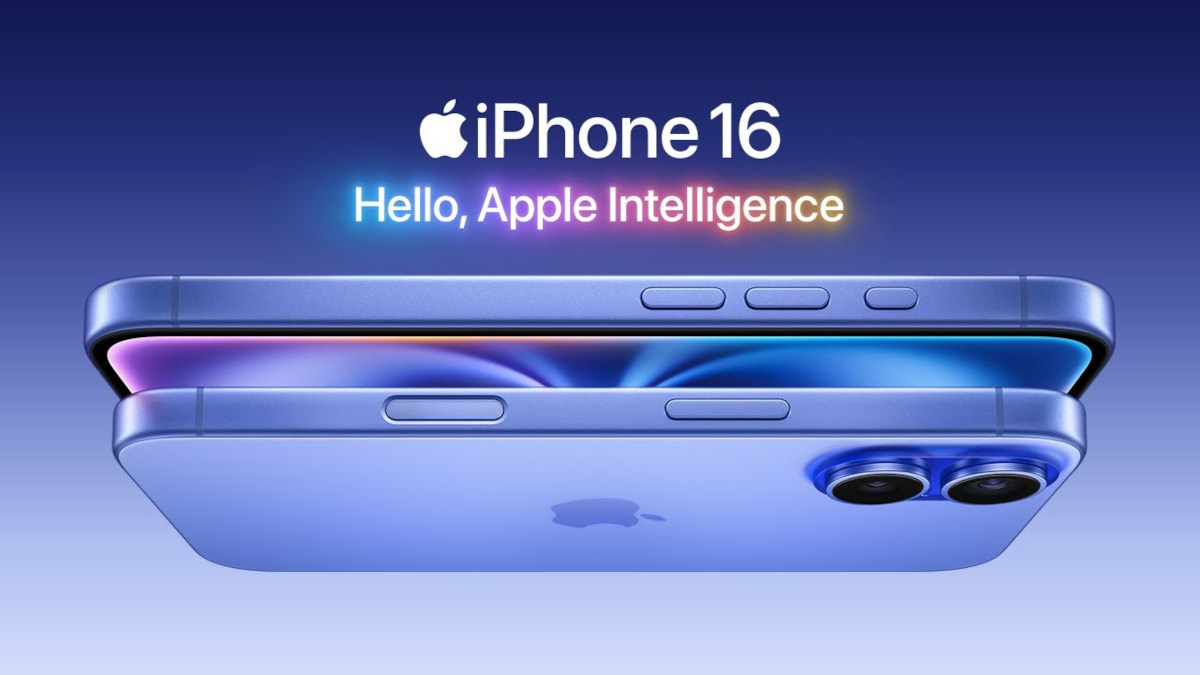
If you’re using an iPhone 16 or newer, Apple’s recent changes to photographic styles and its rebuilt processing pipeline give you an even more intuitive grading toolset.
We tuned a set of parameters that can push the iPhone’s famously “clean and neutral” output into something that feels closer to that M9-inspired character.
Use the “Natural” style, then drag toward the bottom-right of the palette:
- Tone: -90
- Color: 55
- Palette intensity: 100
Then go into adjustments:
- Vibrance/Clarity (or similar): -50
(This helps return the tonal structure to something calmer and more natural.) - Brightness: -10
(Adds weight and stability.) - Natural saturation: +10 to +20
(Builds that richer color impression.)
Then, like before:
- Fine-tune Hue/Temperature between 0–30 depending on the scene to introduce a gentle color bias.
- Add Vignette: +15
With those settings, even an iPhone can deliver a convincing “German flavor” texture. Different systems, same underlying logic—because the aesthetics are built on the same foundations of light, contrast curves, and color behavior.
What This Is Really About
Looking at all these steps, you might wonder what the point is.
On the surface, yes—we’re saving the cost of a new phone.
But deeper than that, this is a shift in mindset.
For years, “German flavor” has been treated like something mystical—an uncopyable secret reserved for expensive gear. But the moment Leica-style aesthetics are quantified into an AI model, the illusion breaks.
It stops being mythology and becomes something measurable: color temperature, contrast, highlight behavior, and curve control. A mathematical game.
And if it’s a mathematical game, then there’s always a solution—and always a close approximation.
Once you understand that, you gain a universal key.
Film simulations, “master filters,” signature looks—they’re all just specific combinations of light and color parameters. We want you to get a great result from these settings, but more importantly, we want you to learn the reverse-engineering mindset behind them.
Because settings are fixed, but thinking is flexible.
When you stop letting manufacturers define “style” for you—and start breaking an image down and rebuilding it based on your own understanding—your phone stops being a consumer device and becomes a creative tool.
In other words: the decisive moment has never depended on what’s in your hand.
It’s always depended on the mind behind the viewfinder—the one willing to observe, analyze, and choose.