In the latest episode of the 1Password development team’s podcast, they fired off a whole series of cybersecurity hot takes: Are email login links actually safe? Will passwords start fading out in 2026? Can a VPN truly protect you?
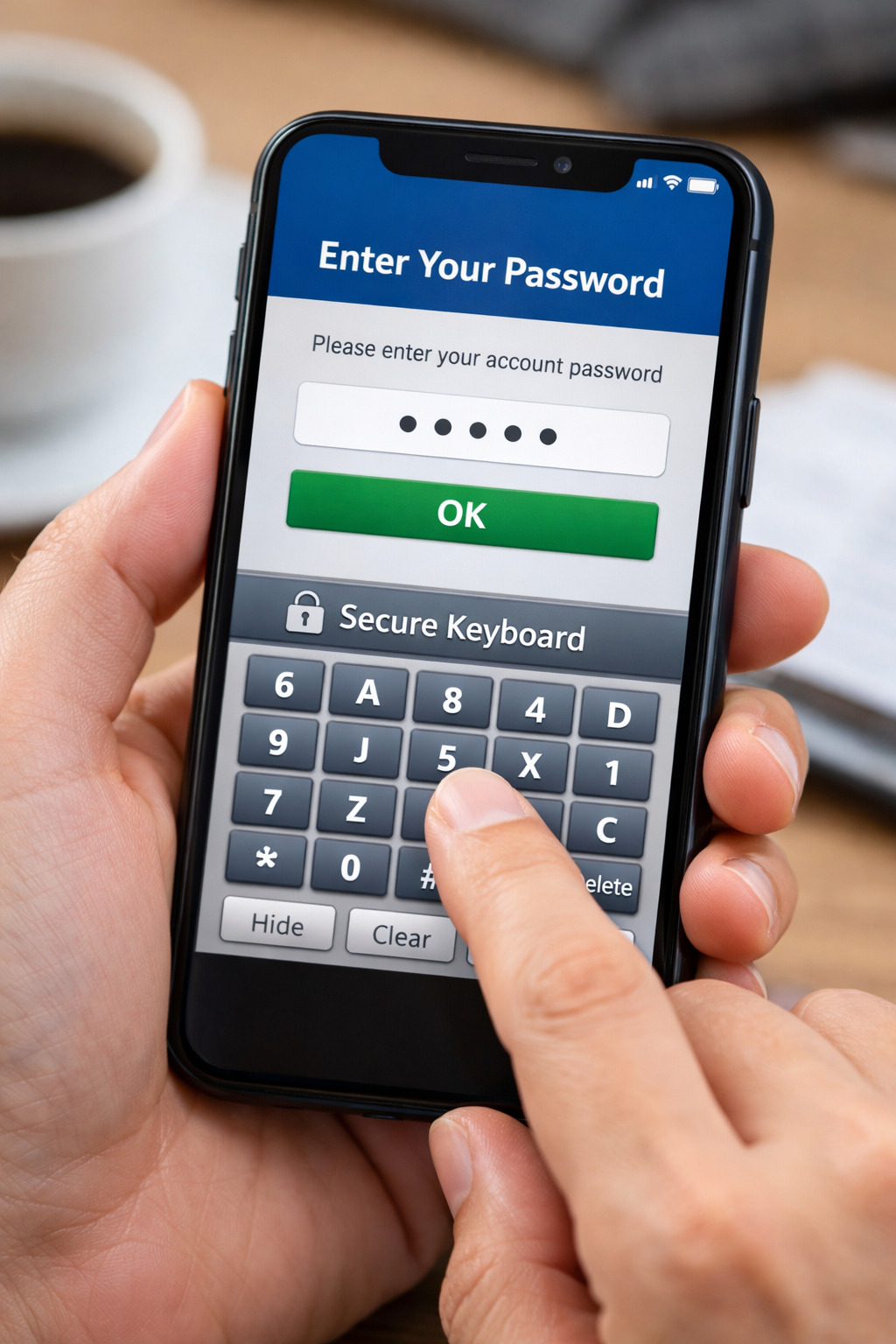
If I had to add one more hot take to that list, it would be this: a “secure keyboard” doesn’t actually secure your bank account. By “secure keyboard,” I mean the custom touch-screen keyboard that many mobile banking apps—especially in places like mainland China and other regions—force you to use inside password fields.
If we’re ranking the most bizarre security “innovations” financial institutions have embraced over the last decade, this one deserves a spot in the top three.
Where did the “secure keyboard” come from?
Let’s rewind about 30 years to a time when personal computers weren’t yet everywhere. Back in 1997, China Merchants Bank launched one of the earliest retail online banking services, “OneNetcom” (一网通).
That’s much earlier than most people expect. At the time, it had only been a decade since the famous “Over the Great Wall, we can reach every corner in the world” email. QQ wasn’t even called QQ yet—it was still OICQ. Home computers weren’t common, and if a family had one, it was often shared and considered a luxury item.
But internet demand still exploded—instant messaging, online games, and online banking were pulling people online faster than hardware adoption could keep up. That gap helped create a uniquely important internet “infrastructure” of the era: internet cafés—public computers with public internet access.
Today, we all know logging into personal accounts on shared machines comes with risks. You log out. You use guest mode or incognito mode. You avoid saving passwords.
Back then, however, one particularly simple and devastating attack was extremely common: the hardware keylogger.
A keylogger could be placed between the keyboard and the computer’s PS/2 port, silently recording every keystroke—every character, every password, every message. It was often tiny, designed to disappear behind the PC case.
Picture this: you sit down at an internet café, open QQ, and type your ID and password. You leave. The person who planted the keylogger later retrieves it, scrolls through the recorded keystrokes, and finds your credentials buried between your chat logs with your friends. A few days later, your QQ account is gone.
Companies like Tencent were flooded with complaints. They warned users to check the back of the PC for suspicious devices, but the reports kept coming.
Then an engineer had a clever idea: a keylogger can record keyboard input, but it can’t record what happens on the screen.
So why not bypass the physical keyboard entirely?
That’s how the “software keyboard” became popular on PCs: a keyboard UI displayed on-screen, where users click keys with a mouse instead of typing. Since the input came from mouse clicks, the hardware keylogger couldn’t capture it. Many apps—including QQ—added this feature. Some even suggested splitting password entry: type a few characters normally, then click a few characters on the soft keyboard, making it harder for someone recording your screen to capture the full password.
That PC-era soft keyboard is the direct ancestor of today’s mobile banking “secure keyboard.”
More specifically, many banking apps replace the system keyboard (or your third-party keyboard) with a custom keyboard they implement themselves. In China’s financial industry, recommended standards such as JR/T 0068-2020 and JR/T 0092-2019 describe protections like per-character encryption, custom soft keyboards, and anti-keylogging measures for entering sensitive information.
Two details matter here.
First, these are “JR/T” standards—the “T” indicates they are recommended, not mandatory.
Second, the standards describe the desired outcome, not the implementation—so different banks build wildly different versions, with wildly different quality.
Some “good citizen” apps use relatively standard system mechanisms (like custom input views) to deliver an experience close to native keyboards. Others simulate the entire thing by drawing a fake input box and popping up a high-layer UI to mimic a keyboard.
And then there are implementations that feel downright chaotic. For example, some apps appear to support paste in the password field—but if you paste a password from a manager like 1Password, it fails, while manually entering via the secure keyboard works perfectly. That suggests the app may be doing strange transformations under the hood: logging only the secure keyboard’s inputs, or replacing characters at the logic layer, or mapping keystrokes into different Unicode representations.
So the question becomes unavoidable: is this truly security—or just a highly engineered placebo?
The “secure keyboard” encourages insecure behavior
There’s a reason to spend time on the history: the secure keyboard is a solution to a problem that used to be dominant—people logging into sensitive accounts on public, untrusted devices.
But we don’t live in the internet café era anymore.
Personal computers are far more common, which reduces the chance of hardware tampering. Modern systems and chips include stronger security measures. Users are generally more aware of basic security hygiene. And most importantly: in a world where everyone carries a phone, recreating the old hardware keylogger threat model on a touch screen is extremely difficult.
If you wanted to “keylog” a phone at the hardware level, you’d have to intercept display or touch signals—something that’s not only hard, but close to impossible to do invisibly at scale.
So what about software attacks?
Even system-level apps typically can’t just record everything you type or see. For iPhone users, even if you normally use a third-party keyboard, the OS forces the built-in keyboard for password fields. Some Android phones also enable a system “password keyboard” by default that replaces third-party keyboards for sensitive fields.
Could attackers infer what you type using motion sensors like the gyroscope? There are academic papers exploring this, yes. But that doesn’t magically make a banking app safer—because whether you’re using a system keyboard or a custom “secure” one, both are still soft keyboards. If an attacker could reliably infer input from sensors, they could try the same trick regardless of whose keyboard UI you’re using.
The only meaningful defense in that specific scenario would be something like a truly randomized keyboard layout—shuffling keys every time. Even then, a real-world attacker would need to clear an absurd bar: survive OS restrictions, run persistently in the background, sample sensors without getting killed by the system, avoid slowing the phone, and still accurately reconstruct input.
And even if a bank did everything right here, there’s a bigger problem waiting.
Blocking password managers is a security own-goal
Many “secure keyboard” implementations break or disable password manager autofill.
That’s a big deal, because modern operating systems support secure password filling specifically to reduce risk: it avoids physical input, avoids direct keystroke capture, and makes “inference attacks” far less useful because the user isn’t typing at all.
When apps force a custom keyboard, hack the input field, or transform characters in nonstandard ways, password managers often can’t detect the field or inject credentials correctly. The user is pushed back to manual entry.
And manual entry has consequences.
When typing is slow, annoying, and error-prone—especially on a shuffled or nonstandard keyboard—users naturally gravitate toward passwords that are easier to remember and easier to type. That usually means lower entropy passwords.
This is the same pattern we’ve seen before with “complex password rules” on websites—requirements like:
- at least one uppercase letter
- at least one lowercase letter
- at least one number
- at least one symbol
- at least X characters
It sounds logical: force complexity, increase security. But in practice, these rules shrink the space of possible passwords (which can help attackers optimize guessing), and they push users into predictable “compliance passwords” like P@ssw0rd1. Worse, many people end up reusing the same “works everywhere” password across multiple services.
The secure keyboard ends up doing something similar: it introduces friction that encourages users to choose passwords that feel manageable—rather than passwords that are truly strong, unique, and safely stored in a manager.
So ironically, what is advertised as “extra protection” can actively downgrade real security.
Convenience isn’t security’s enemy—friction is
There’s an old saying in security: you can’t have both security and convenience; one must be sacrificed.
The longer you’ve been online, the more that starts to feel like a myth.
Security often fails not because something is convenient, but because it’s painful enough that people bypass it.
That’s exactly why password managers exist: humans are not built to generate, memorize, and manage dozens (or hundreds) of unique, high-entropy passwords. Give people a system that actually fits human behavior, and security goes up.
From today’s perspective, password managers and passkeys are surprisingly aligned in user experience. Both generate credentials, store them, and then require a user confirmation (Face ID, fingerprint, device unlock) at the moment of use. Passkeys improve phishing resistance through public-key cryptography and device-based verification, but password managers—when used well—already solve many of the practical issues that make password-based security collapse in the real world.
The real problem has never been “passwords in isolation.” The problem is everything around them: storage, transmission, reuse, phishing, and human behavior.
That’s why standards like FIDO and passkeys matter: they try to standardize and encapsulate the hard parts so users don’t have to carry the mental burden.
But here’s the catch: standards don’t magically replace reality overnight. Passwords have been the default for decades, and shifting the entire internet takes time.
In the meantime, we should be honest about what helps.
A forced “secure keyboard” is often a legacy response to a legacy threat model. In many implementations, it blocks password managers, adds friction, and nudges users toward weaker habits—while offering little meaningful protection against the attacks that actually dominate today.
In cybersecurity, the best systems don’t win by demanding more effort from users. They win by making the secure path the easiest path.
That’s why convenience isn’t the enemy of security.
Friction is.